Limits
How many accounts you can connect, how many people can work in the workspace and how many paid messages you can send per month.
Every workspace has ceilings — limits. They are shared by the whole workspace: all members draw from the same allowance. You can see yours under Reports → Limits.
There are three limits: the number of connected accounts, the number of seats and the number of paid messages per month.
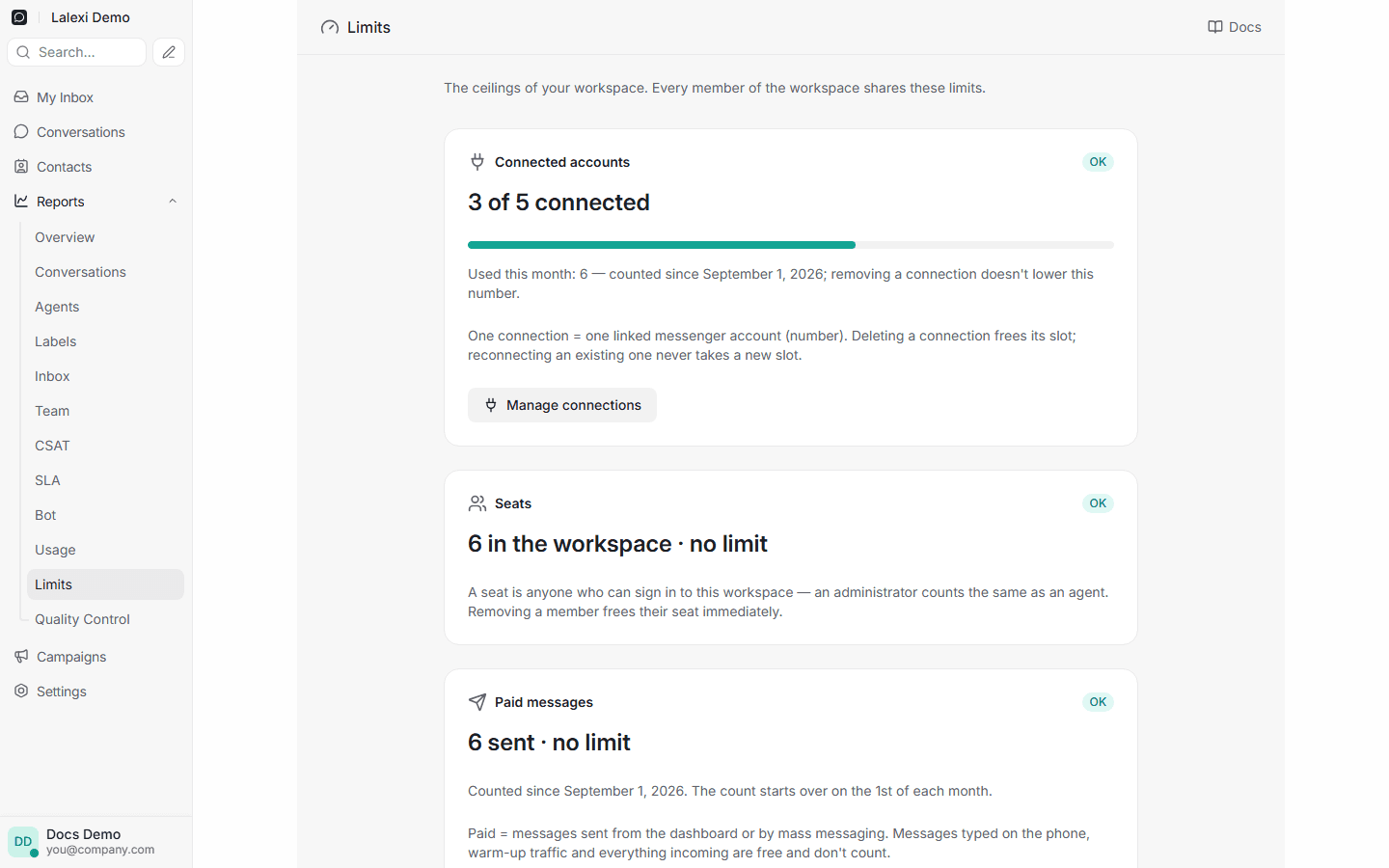
Connected accounts
This counts how many messenger accounts (numbers) are connected at the same time. One connected number = one occupied slot.
- Deleting a connection frees its slot — you can connect another number.
- Reconnecting doesn't take a slot. If an existing number's session dropped and you scan the QR again, that's free and works even when the limit is fully used.
- When the limit is reached, the Lalexi channel tiles under Add Inbox become inactive and you'll see "X of Y" next to them. Standard inboxes (WhatsApp Business, a Telegram bot, the website chat) don't count.
- Manage connections takes you to Settings → Inboxes.
The page also shows "Used this month" — how many different numbers have been connected since the month started. Deleting connections does not lower this number: if five numbers were connected during the month, it reads five even if only one is left by month's end.
Seats
A seat is anyone who can sign in to the workspace — an administrator counts the same as an agent. Removing a member frees their seat immediately.
Once the limit is used up, new invites can't be accepted — the person is refused on signing in, not when the link is issued: you can always issue an invite, only accepted ones count.
Paid messages
This counts how many paid messages the workspace has sent during the calendar month. On the 1st the count starts over — automatically.
| Type | What it is |
|---|---|
| Paid (counted) | Messages sent from the chat, via "New message", and by mass messaging. |
| Free (not counted) | Everything incoming, messages the number's owner typed on their own phone, and warm-up traffic. |
What happens when the limit is used up:
- sending from the chat fails — the message is marked with the reason;
- mass-messaging queues are not lost: unsent messages wait and go out on their own once the limit is raised or a new month starts;
- "New message" politely refuses;
- receiving messages and mirroring phone conversations keep working as usual.
Warnings
At 80% of a limit a yellow warning appears — everything still works. At 100% it turns red and the action is blocked.
How to raise a limit
Limits depend on your plan and are set by the operator. If a limit is too tight — write via Settings → Request a feature or contact support.