FAQ
Short answers to common questions about working with Lalexi.
A connection shows "Reconnect required" — what do I do?
The messenger session dropped. Open Settings → Inboxes, select the inbox, press Reconnect on the Connection tab and scan the QR code again. The inbox and all history are kept, and syncing resumes. See Connections.
How do I disconnect a number? And how do I get it back?
The channel's Connection tab has a Disconnect button. It deletes the link at the messenger for good: this channel cannot be reconnected, and to use the number again you'll add it as a new connection. The limit slot is freed.
The channel, its conversations and messages are not deleted — they are hidden. To bring them back, turn on "Show disconnected" in the inbox list, open the channel and tick "Show this channel's conversations" on the Connection tab. That does not resume syncing. More in Connections.
Why don't I see any chats after linking?
You need to set up syncing: on the inbox's Connection tab pick a mode and press Save. Until a filter is set, nothing is imported. Also, right after linking chats need a minute — click "Reload chats". See Sync settings.
I can't see group chats
That's by design: only one-to-one chats are mirrored. Group chats are not synced.
How is WhatsApp Business different from WhatsApp Personal?
WhatsApp Personal is a personal account linked by QR code. WhatsApp Business is Meta's official API: it is set up with keys from the Meta dashboard, it takes no limit slot and it doesn't take part in mass messaging, warm-up or usage. Both are created under Settings → Inboxes → Add Inbox. See WhatsApp Business.
Where do I connect a Zalo bot?
Under Settings → Inboxes → Add Inbox pick Zalo Bot, press Connect and paste the token you got from Zalo Bot Manager in the Zalo app. Step by step: Zalo bot.
How do I add a chat to my website?
Create a Website inbox under Settings → Inboxes, copy the snippet from
the Script tab and paste it before </body> on your pages. Step by step:
Website chat.
What's the difference between a Viber bot and Viber Business?
A Viber bot is connected with the token from its admin panel and only answers people who wrote to it first. Viber Business is the official business sender: it messages customers by phone number, so it is available in New message, campaigns and warm-up. It runs through your own Infobip account, and Infobip bills the messages. Neither of them has a chat list. See Viber bot and Viber Business.
What do I need to connect Avito?
The account comes before the technology. You need an Avito company or sole trader profile with verified details and a paid subscription of a level that includes the Messenger API: "Maximum" in Goods and Jobs, "Extended" or "Maximum" in Services. Connect the main company account rather than an employee's profile. No callback address has to be prepared — Lalexi registers it itself. Step by step — Avito.
What do I need to connect Cian?
An agency account on a paid plan ("Базовый" at Cian) with the Messages service switched on, and a Cian API access key. The key is issued in the account — Settings → More → Cian API → Get API key — and arrives at the account's email; if the plan is not in place yet, it is agreed by email with Cian, who send the key in reply. One more thing matters: who answers messages in the account. If the chats are assigned to employees, the agency key will not see them. Step by step — Cian.
What's the difference between MAX and MAX Bot?
MAX is a personal account linked by QR code: it sees earlier chats, can
write first and takes part in campaigns. MAX Bot is the official bot from
business.max.ru, connected by token: it only answers people who wrote to it.
Both guides: MAX and MAX Bot.
I connected my Telegram bot to Lalexi and it went quiet in another service
That's how Telegram works: a bot has exactly one webhook. Connecting it here points that webhook at Lalexi and drops the previous one. One bot, one system — create a second bot with @BotFather for the other service.
WhatsApp Business won't let me type — "template only"
That's Meta's rule: you can write freely only within 24 hours of the customer's last message. After that, only an approved template. If the template you need isn't listed, add it in the Meta dashboard and press Sync Templates in the inbox settings. See WhatsApp Business.
Campaign messages are marked "Undelivered" — why?
A common cause is the number being limited due to a sudden spike in activity. Warm the account up before a large campaign: see Warm up.
Does warm-up count toward billable messages?
No. Warm-up's internal messages are not counted as paid. See Usage.
Where did the "Home" (formerly "Lalexi") menu section go?
There is no separate section any more — its items moved to their natural places: connections to Settings → Inboxes, "New dialog" to the New message button next to the search box, mass messaging and warm-up to Campaigns, usage, limits and quality control to Reports, the team to Settings → Agents. Old links keep working. See Quick start.
Where do I message a new contact first?
The New message button (the pencil) next to the search box, top left:
type a number or an @username, pick Start a chat with …, then the
connection under Via. See New message.
How do I ask for a feature?
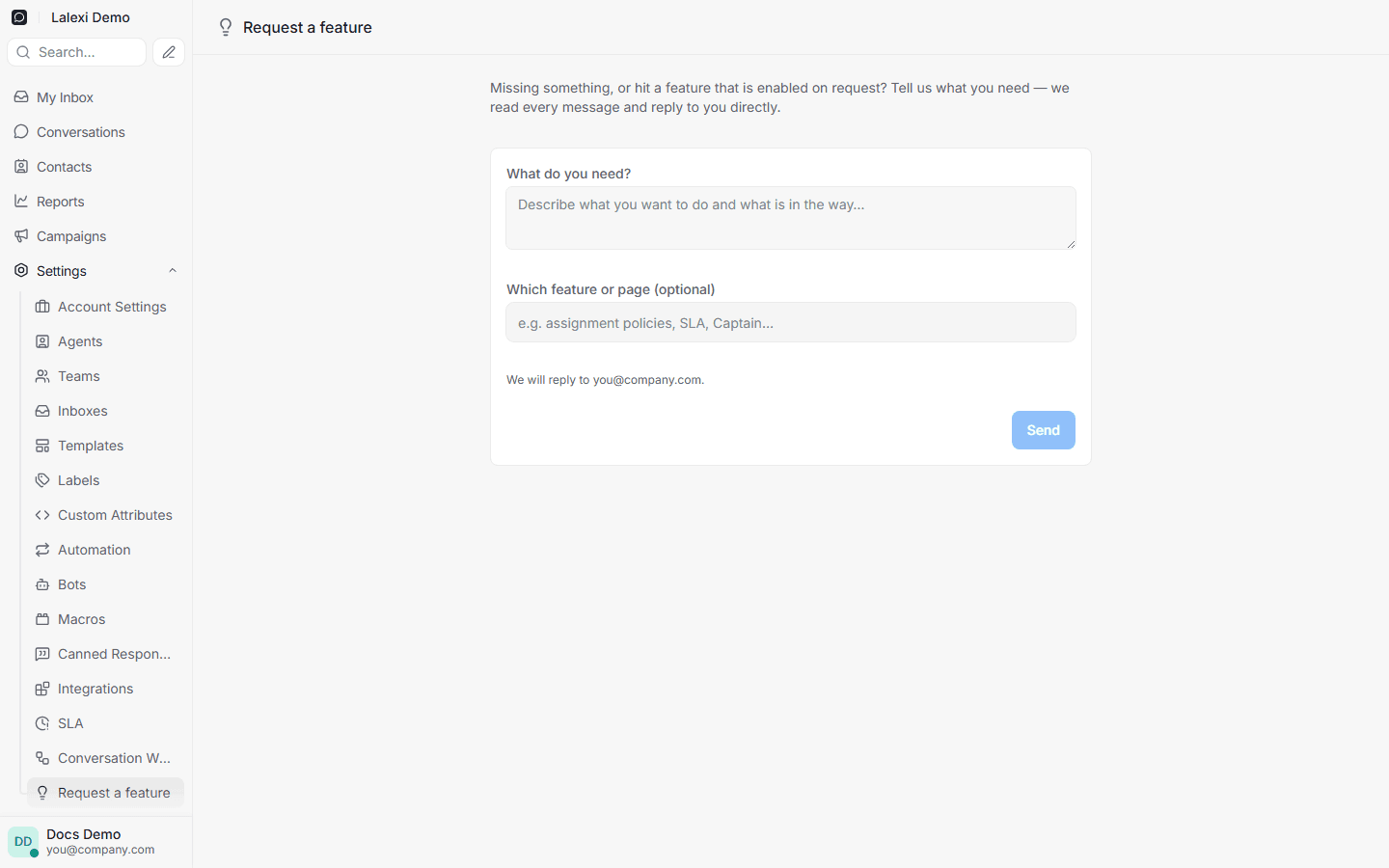
Settings → Request a feature: describe what you need — the team reads it and replies to your email. Every "Upgrade" button in the interface leads there too: with us it is a request, not a plan.
My SLA policy won't save — why?
Most likely the "Only during business hours" toggle is on: it isn't supported yet, so saving is rejected. Turn it off — timers run around the clock. See SLA.
Quality Control is empty
Either the feature isn't enabled for your workspace yet (the page says so — ask your account manager), or the latest pass hasn't run: the review runs hourly. See Quality Control.
A new chat was not assigned to anyone — why?
Most likely none of the inbox agents were Online at that moment: auto assignment only picks agents who are online, and it does not hold the conversation until morning. Take it from the Unassigned tab by hand. See Conversation assignment.
Every chat from a channel goes to one person
Check the inbox agents: Settings → Inboxes → the inbox → Collaborators. For a personal number or a bot, the list starts with only the person who connected it. Add the others and the round robin kicks in. See Conversation assignment.
How do I add a member?
Settings → Agents → Add Agent — send an invite link or invite by email and assign a role. See Team.