Testing and agent assistance
Use the playground, Copilot and article translation to test the assistant and help your team.
Playground
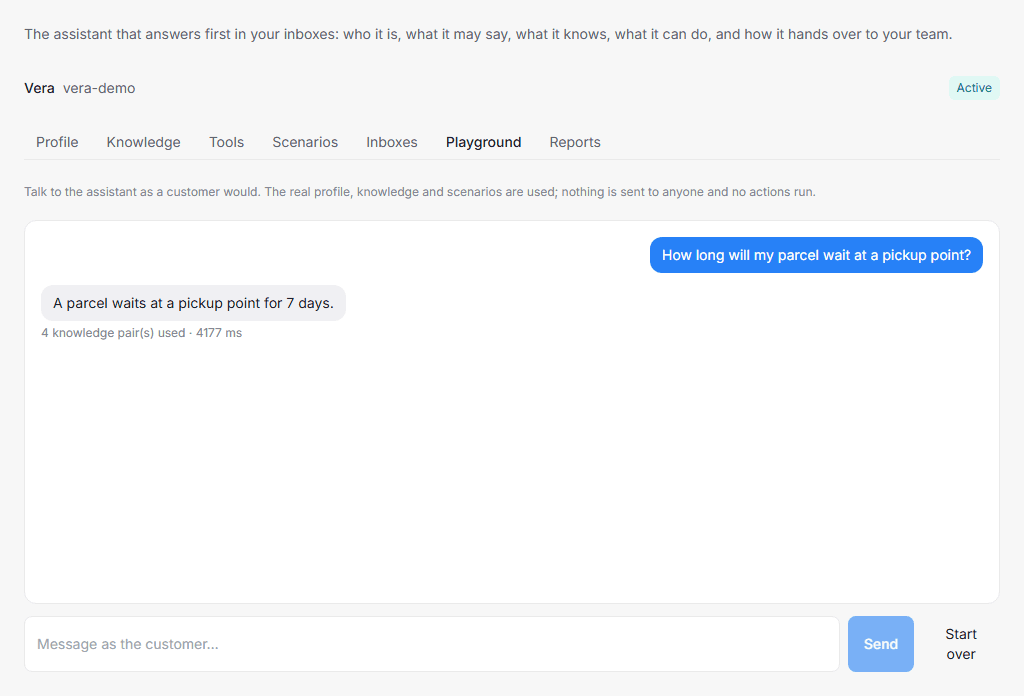
Open Settings → AI Assistant → Playground and write a message as a customer. It uses the saved profile, knowledge and scenarios. You can continue the conversation over several messages.
Below a reply, you can see preparation time, the number of retrieved knowledge pairs when any were found, and an intention to hand off when one was returned. Start over clears the test history.
Try several situations:
- A regular question whose answer exists only in your knowledge.
- The same question in different words.
- A request to speak to a person.
- A question your guardrails prohibit the assistant from answering.
- A situation covered by an enabled scenario.
The playground sends no messages to customers and executes no actions. It checks replies, but not channel delivery, connected tools, scheduling or actual status changes during hand-off. “Would hand off” shows intent; in a real conversation, hand-off depends on the configured mode.
After using the playground, check a separate test conversation in a connected channel: a new customer message, reply, hand-off and return to the assistant. See the overview for working with statuses.
Copilot for agents
Copilot helps employees inside the workspace interface. It is available where an assistant is configured for the workspace. Open a conversation and the Copilot panel. If you have several assistants, you can select one in the panel.
Ask about the current conversation or request a reply suggestion. Copilot can search conversations, contacts and articles accessible to the agent, and use the selected assistant's knowledge. Access checks still apply: Copilot does not give an employee access to conversations they cannot otherwise read.
You can copy a suggested reply or insert it into the message editor, review it and send it yourself. A suggestion is not sent to the customer automatically. If an agent replies while a suggestion is being prepared, the stale suggestion may be discarded. Request another one for the current situation.
Reply suggestions require the last public message in the conversation to be an incoming customer message. If the panel says Copilot is not configured or cannot answer right now, contact your account manager or try again later. Automatic replies in a channel do not by themselves confirm that every Copilot feature is available.
Article translation
Article translation is in the Help Center article area, rather than the assistant's Knowledge tab containing question-and-answer pairs.
Select articles in the list, choose the translation action, select a language and optionally a category. Up to 50 articles are processed per request. If a translation in that language already exists, the interface asks you to confirm overwriting it.
A new translation is created as a draft linked to the original article. Review its title and text before publishing. Confirmed overwrites update the existing translation. A successful request means articles have been queued, not that translation is already complete.
If the feature is unavailable or the request fails, ask your account manager to check translation configuration. Article translation does not automatically translate all of the assistant's documents and knowledge pairs.