WhatsApp Business
How to connect an official WhatsApp Business number through the WhatsApp Cloud API: Meta keys, form fields, webhook, the 24-hour window and templates.
This connects an official number through Meta's WhatsApp Cloud API. The number lives in a WhatsApp Business Account (WABA) rather than on a phone, and messaging follows Meta's business rules.
If you need a regular number from a phone, that's WhatsApp by QR code — a different guide.
What to prepare first
All of this happens on Meta's side, before you open Lalexi:
- A WhatsApp Business Account (WABA) in Meta Business.
- A phone number registered in that WABA. It must not be signed in to the regular WhatsApp or WhatsApp Business app at the same time — a number lives either there or in the API. If the number is taken, it has to be freed up first.
- An app in Meta for Developers with the WhatsApp product added.
- A permanent access token — a system user token with the
whatsapp_business_messagingandwhatsapp_business_managementpermissions. The temporary token on the "API Setup" tab lasts 24 hours: the channel will be created and will stop working the next day.
While you're on the app's WhatsApp → API Setup page, copy two more values: the Phone number ID and the WhatsApp Business Account ID.
None of this done yet — walk through it step by step: WhatsApp Business Account.
This is set up by a workspace administrator: a member with the agent role sees Settings → Inboxes only in part and cannot create standard inboxes — see Team.
How to connect
-
Go to Settings → Inboxes and press Add Inbox.
-
Pick the WhatsApp channel.
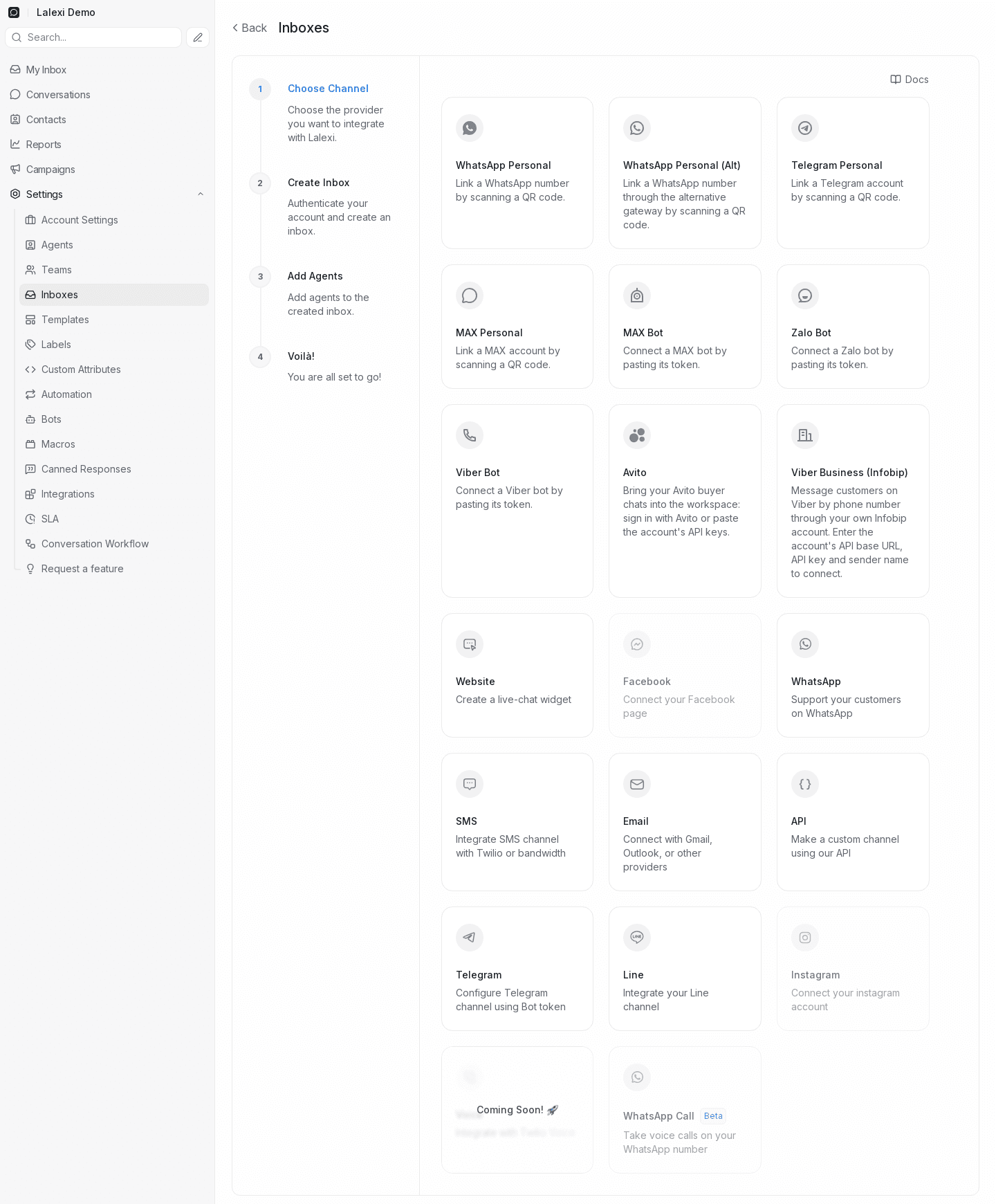
-
On the provider step choose WhatsApp Cloud. Twilio is only for numbers served by Twilio.

-
Fill in the form:

Field What to enter Inbox Name How the channel is labelled in the chat list, e.g. "WhatsApp Business". Phone number The WABA number in international format: a leading +, no spaces or dashes.Phone number ID The Phone number ID from the Meta dashboard — digits only. Business Account ID The WhatsApp Business Account ID from the Meta dashboard — digits only. API key The permanent access token. -
Press Create WhatsApp Channel.
-
On the next step add agents — the people who will see these conversations, including yourself. Skip it and nobody sees the inbox.
What happens on its own
You don't have to configure anything else in the Meta dashboard — when the channel is created Lalexi itself:
- validates the credentials against Meta (wrong data simply won't create the channel);
- registers the number in the Cloud API if needed;
- subscribes the webhook at Meta — callback URL and verify token — so incoming messages reach Lalexi.
The Webhook Verification Token and the current API Key can be viewed later, and the key replaced or the template list refreshed, in the inbox itself: its card → the Configuration tab.
The 24-hour window and templates
This is Meta's rule, not ours: you can write freely to a customer only within 24 hours of their last message. Once the window closes the reply box is locked with a note that only templates are available, and the only thing you can send is an approved template — picked right there in the conversation.
Templates are created and approved on Meta's side. The Sync Templates button on the Configuration tab pulls in the current list — press it after Meta approves a new one.
What this channel doesn't get
An official number doesn't take part in the tools built for personal accounts: it takes no slot in the connection limit, it has no Connection tab, and it is unavailable in campaigns, warm-up and New message; its messages don't appear in Usage. SLA, quality control and reports work as usual.
If it doesn't work
| Symptom | Cause |
|---|---|
| Creating the channel fails with an invalid-credentials error | The token lacks the required permissions, is a temporary token that has expired, or the phone number ID and business account ID were swapped. |
| The form rejects the number | It must start with + and contain no spaces, brackets or dashes. |
| The form rejects an ID | Both ID fields take digits only, no spaces. |
| The number is already in use | The same number can't be used by two inboxes. Delete the old inbox or use another number. |
| The channel exists but nothing comes in | Check that the WABA number belongs to the app whose token you entered, and that the app isn't restricted in development mode. |
| You can't type — "template only" | The 24-hour window closed. Send an approved template. |
How to link a personal WhatsApp number to Lalexi by QR code — the main gateway and a fallback one.
WhatsApp Business Account
How to create a WhatsApp Business Account (WABA) at Meta: the app, the phone number, the two IDs and a permanent token — and how to free a number already used by regular WhatsApp or another business account.