Viber bot
How to connect a Viber bot to Lalexi: the bot application through a Rakuten Viber partner, what it asks for, and pasting the authentication token.
Viber is connected as a bot: you take the authentication token from your bot's admin panel and paste it into Lalexi.
What you need
- A Viber bot and access to its token. A bot is not created on your own: the application is filed by an official Rakuten Viber partner — Infobip in our case — and Viber vets the company and the use case. If you have no bot yet, start with the section below.
- A free slot in the connection limit.
No bot yet: the application through a partner
The partner files the application, but everything in it is yours. The whole path — signing up with Infobip, the channel application, the bot form and the warranty letter, a review of up to four weeks and the token from the Viber app — is laid out step by step on its own page: The Viber application via Infobip.
In short, what you have to gather: the bot name and URI, the legal company name and the beneficial owner, the bot category and description, the countries and the use case — plus an admin phone number registered in Viber, which is where the token is taken from later.
A Rakuten Viber bot is paid for by its owner. There is a monthly fee for the bot itself and a separate charge for messages the bot sends first; replies inside a conversation the user started are included in the fee. The partner quotes the exact rates, and they are best agreed before the application is filed.
Once approved, the bot gets an authentication token — that is what the connection uses.
How to connect
- Open your Viber bot's admin panel and copy the authentication token.
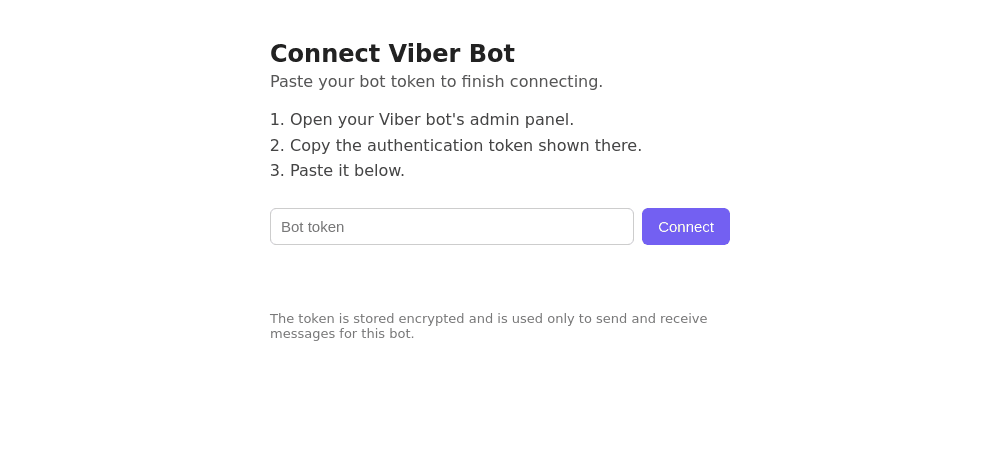
- In Lalexi open Settings → Inboxes, press Add Inbox, pick the Viber Bot tile and press Connect — a tab with a form opens.
- Paste the token and press Connect.
- Once it says "Connected", close the tab and return to Lalexi: the inbox appears with the Connected status.
The token is full access to the bot. Lalexi stores it encrypted, but never forward the token yourself. If it leaks, reissue it in the bot's admin panel and connect the bot again.
What the bot can and cannot do
- It only answers people who wrote first. The channel is unavailable in New message, campaigns and warm-up.
- No chat list and no history — a conversation appears on its own with its first incoming message, so there is nothing to configure in sync settings.
- One-to-one chats only.
If something goes wrong
| Symptom | What to do |
|---|---|
| The form says the link is no longer valid | The link lives for 30 minutes. Go back to Add Inbox and pick Viber Bot again. |
| The token isn't accepted | Check you copied the bot's authentication token in full, with no stray spaces. |
| The bot is connected but there are no conversations | That's expected until a customer writes to it first. |
| There is nowhere to create the bot | Correct: Rakuten Viber has no self-service creation — a partner files the application, see above. |
Need to message customers first, by phone number? That is the other Viber channel: Viber Business.